


Using AI Safely and PDPA Compliant: A Survival Guide for Thai SMEs
Introduction
In 2025, the Personal Data Protection Committee (PDPC) received nearly 10,000 PDPA-related complaints — and a striking 35% of those involved AI technology and biometric data, such as retailers using facial recognition cameras without notifying customers. [1]
For Thai SMEs, artificial intelligence (AI) is no longer a distant concept. From online shops using ChatGPT to handle customer chats, to coffee shops running AI-powered sales analytics — AI is everywhere. But the uncomfortable truth is that over 84% of business owners are not prepared to comply with the law. They use AI tools without realizing that customer data may be leaking into model training pipelines, or that they may be unknowingly violating personal data rights. The maximum fine for a violation is 5 million baht per incident — and it can carry up to 1 year of imprisonment — more than enough to shut a small business down overnight. [2]
This article isn’t just a warning — it’s a practical guide. We’ll walk you through 7 things you must never do with AI so your business can use AI without violating PDPA, with actionable fixes you can implement in under an hour — no expensive lawyer required. We’ll turn risk into confidence, and fear into a real shield for your business.

🚨 Real Case: A Bakery That Almost Got Fined 5 Million Baht
To show just how close to home this really is, here’s a cautionary tale — a scenario modeled on real cases from overseas and increasingly seen in Thailand.
What Happened: Installing Facial Recognition Without Disclosure
The owner of a homemade bakery in Bangkok decided to install a CCTV system with facial recognition. The intention was good — to deter theft and greet regular customers by name. What he missed: the cameras were installed without notifying customers, and the system had been collecting Biometric Data from every person who walked into the shop for six months straight.
The Lesson: 3 Mistakes SMEs Commonly Make
The investigation revealed three critical mistakes that most SMEs overlook:
- No Warning Signs (Lack of Transparency): Customers walked in without knowing their face was being scanned — a direct violation of the transparency principle. [3]
- Collecting Biometric Data Without Permission (No Explicit Consent): Facial data is classified as “Sensitive Data” under Section 26 of PDPA. Collecting it requires Explicit Consent — it cannot be implied or buried in fine print. [4]
- Unaware It Was Illegal (Lack of Awareness): The shop owner assumed that being a small business meant no one would care. But the law does not make exceptions based on business size.
The Outcome: Nearly Had to Close
Following the complaint, the shop was ordered to immediately suspend the facial recognition system and faced an initial administrative fine of 500,000 baht (from the 5 million baht ceiling — reduced because it was a first offense and the owner cooperated). But the heavier damage was to reputation: regular customers began disappearing, spooked by the privacy breach. [4]
⚠️ Warning: Facial Recognition systems are classified as Sensitive Data. A separate Consent is always required. No Consent = immediate violation, and the harshest penalties apply.
What Is PDPA? (Explained for SMEs)
Before we dive into the prohibited practices, let’s build a solid foundation — so you truly understand what it means to use AI without violating PDPA.
Simple Definition: A Law That Protects Your Customers’ Data
PDPA (Personal Data Protection Act) is the law that says: “Customer data belongs to the customer — not the business.” If you want to collect names, phone numbers, photos, or purchase behavior, you must ask for permission and clearly state the purpose.
AI Governance vs. PDPA — What’s the Difference?
While PDPA is the law you must follow to avoid penalties, AI Governance is the ethics — the framework for using AI transparently and fairly.
- PDPA: Focuses on personal data (Consent, Privacy Notice)
- AI Governance: Focuses on how AI makes decisions (must be unbiased, must be explainable). Doing both together gives your business the strongest possible protection. [5]
Why Should You Care? Can a Small SME Really Get Hit?
This law applies to “everyone” who collects personal data — whether you’re a publicly listed company or a one-person online seller with a single admin account. If you use LINE OA to build a customer database, or if you have a CCTV camera on the premises, you are immediately classified as a “Data Controller” under the law.
The risks you’re carrying:
- Maximum fine of 5 million baht: For violations involving sensitive data (such as facial images, health information). [6]
- Maximum imprisonment of 1 year: If an executive intentionally sells or misuses customer data.
- Reputational damage (public backlash): Thai consumers today are highly sensitive to data privacy. A negative story about a data leak spreads faster than wildfire.
7 Things You Must Never Do with AI (These Violate PDPA!)
These are the traps Thai SMEs most commonly fall into — often without realizing it. Check right now whether you’re doing any of these:
❌ Prohibition #1: Feeding Customer Data into Public ChatGPT
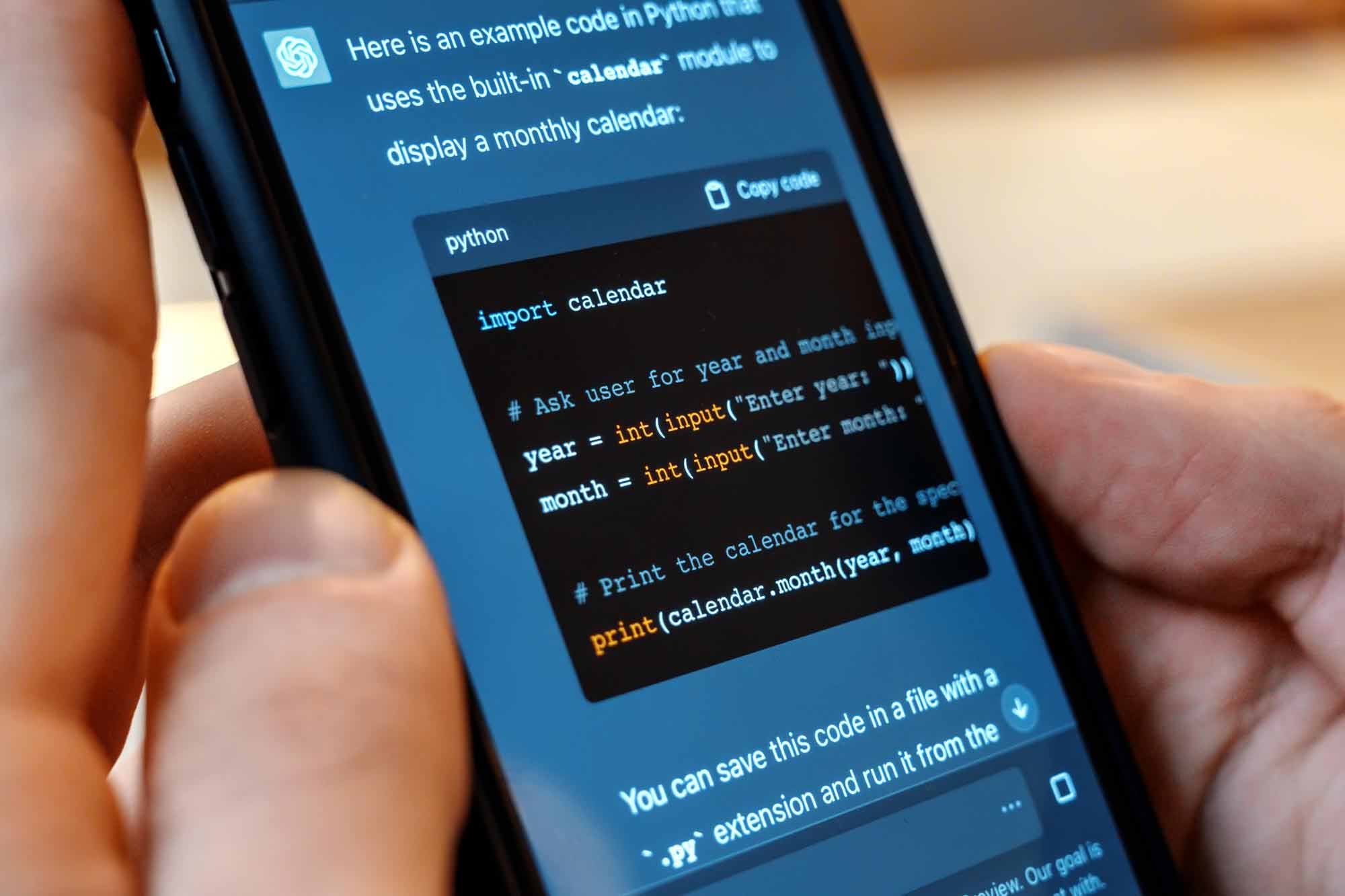
This is the #1 most common mistake. Employees regularly copy-paste customer names, phone numbers, or purchase history into ChatGPT to help draft reply emails or summarize sales reports.
- Why it’s a violation: The free (Public) version of ChatGPT may use the data you enter to train its model — meaning you’re sending customers’ personal data to a third party (OpenAI) and transferring it overseas without their consent (Wrong Purpose & Cross-border Transfer). [2]
- Case study: There have been documented cases abroad where bank employees entered proprietary code and customer data into ChatGPT, which then surfaced in responses to other users. [7]
- How to fix it:
– Use ChatGPT Enterprise / Team, which guarantees your data will not be used for training
– Disable Chat History in Settings > Data Controls
– Always Anonymize data (replace customer names with “Customer A,” remove phone numbers) before entering anything into an AI tool
❌ Prohibition #2: Using Facial Recognition Cameras Without Disclosure
As seen in the bakery case, facial recognition technology carries extremely high risk.
- Why it’s a violation: Facial biometric data (Face ID) is classified as Sensitive Data under Section 26, which is subject to significantly stricter protection than general personal data.
- Penalty: A fine of up to 5 million baht, and an order to dismantle the system.
- How to fix it: If you genuinely need to use this technology, you must post a clearly visible warning sign at the entrance, and you must have a process to obtain Explicit Consent before any scanning begins. Alternatively, switch to standard CCTV cameras that do not identify individuals. [3]
❌ Prohibition #3: Training AI on Customer Data Without Telling Them
Many businesses are now building their own AI (Custom GPT) by feeding old customer chat logs in to make the AI more responsive.
- Why it’s a violation: Customers provided their data to “buy products” — not to “train an AI.” Using that data for a different purpose without disclosure is a PDPA violation.
- How to fix it: Your Privacy Notice must clearly state: “Your data may be used for analytical purposes and to develop AI models to improve our services.” Ideally, obtain a separate Consent specifically for this purpose. [8]
❌ Prohibition #4: Letting AI Make Important Decisions Alone (Automated Decision Making)
Examples: using AI to screen and automatically reject job applicants, or using AI to approve or deny loan applications.
- The problem: AI can carry bias — unintentionally screening out candidates based on gender or educational institution, creating legal exposure for discrimination claims. Customers also have a legal right to contest decisions made entirely by automated systems.
- How to fix it: There must always be a Human-in-the-loop reviewing the final output. Never let the AI press “reject” on its own 100% of the time. [9]
❌ Prohibition #5: Not Telling Customers They’re Talking to an AI
Deploying a chatbot so convincingly human that customers can’t tell the difference might seem impressive — but it violates the principles of AI governance and transparency.
- Why it’s a violation: Customers have the right to know who — or what — they’re communicating with. Concealing this can lead to misunderstandings and complaints.
- How to fix it: Set a clear welcome message, such as: “Hello! This is an automated AI assistant. Press 0 to speak with a human agent.” [7]
❌ Prohibition #6: Storing Customer Data Indefinitely (Storage Limitation)
Because AI thrives on data, businesses often keep customer data forever “just in case.”
- Why it’s a violation: PDPA requires that data be kept only “as long as necessary” and “within defined retention periods.” Keeping data from customers who stopped buying 10 years ago creates unnecessary risk.
- How to fix it: Establish a Data Retention Policy — for example, delete chatbot conversations every 90 days, or delete records of customers with no activity for over 3 years.
❌ Prohibition #7: Having No Privacy Policy at All
This is the most fundamental requirement — and the most widely violated. Many businesses simply have no Privacy Notice anywhere.
- Why it’s a violation: This violates Section 23, which mandates that data controllers notify individuals of how their data is being processed.
- How to fix it: Create a Privacy Policy that’s easy to read (not 20 pages of legal language). Post it on your website or pin it in your LINE OA, and explicitly state what AI does with customer data.

5 Steps to Use AI Safely (Achievable in 1 Hour)
You don’t need a law degree to get this right. Just follow this action plan:
Step 1: Know Which AI Tools You’re Using (10 minutes)
Write down every tool your business uses. Ask your IT team or the software vendor who sold you the system.
- Checklist:
- [ ] Chatbot (LINE OA / Facebook)
- [ ] Ad targeting system (Marketing Automation)
- [ ] Accounting software or CRM with AI features
- [ ] CCTV cameras
- [ ] ChatGPT / Gemini used personally by staff
Step 2: Identify What Data Each AI Touches (10 minutes)
Find out what each AI tool “feeds on” (Data Mapping).
- Key questions: Does it collect names? Phone numbers? Email addresses? Or sensitive data like facial images or health records?
- Principle: Collect the minimum data necessary (Data Minimization). If the AI can do its job without knowing a real name, don’t send it a real name.
Step 3: Write a Privacy Notice (15 minutes)
Draft a short, clear statement to inform customers. This can be placed on your website or as a welcome message in LINE OA.
# Ready-to-Use Template: “This company uses artificial intelligence (AI) to [state purpose, e.g., analyze preferences and recommend products]. Your data, such as [purchase history], will be processed securely to improve our service quality. If you do not wish for AI to process your data, you may notify us at [phone / email].”
Step 4: Set Security Measures (15 minutes)
Lock your house tight — prevent data from leaking out.
- Do this immediately:
– Enable two-factor authentication (2FA) on every account that accesses customer data
– Apply Access Control — interns should not have access to your full customer database
– Disable Chat History in Public AI tools
Step 5: Train Your Staff (10 minutes)
Most mistakes happen because of people — not systems.
- What to teach:
– The iron rule: “Never enter customer personal data (name / phone / national ID) into ChatGPT or any public AI. Ever.”
– Do not send customer data files via personal LINE
– If a Data Breach occurs, report to your manager immediately within 24 hours
Comparison Table: Popular AI Tools + PDPA Risk Levels
For a clearer picture, here’s a breakdown of tools commonly used by SMEs.
Real Case Studies: Thai SMEs That Made It — and Those That Didn’t
Case 1: A Cosmetics Shop That Got Reported ❌
What they did: Used unedited “before and after” photos submitted by customers as training data for a new AI skin analysis system — without asking for permission. The mistake: They violated rights over sensitive data (skin health imagery / facial data) and used data for a purpose beyond the original intent (customers submitted photos for a review, not for AI training). Outcome: When customers found out, they filed a complaint with PDPC. The shop had to delete the entire AI model they had invested in building — and pay compensation.
Case 2: A Coffee Franchise That Got It Right ✅
What they did: Deployed a chatbot for menu recommendations, with clear disclosures from the start. What they did right:
- Welcome message reads: “Hi, I’m your AI assistant!” (Transparency)
- A “Privacy Policy” button is visible before any conversation begins
- A “Talk to a Human” option is always available. Outcome: Customer trust increased, sales grew, and there has never been a data complaint.
❌ Danger Zone: Beauty Clinics and Healthcare SMEs
If you operate a clinic, your customer data is classified as Sensitive Data (health information) — meaning fines are heavier than average. Additional steps required:
- Separate Consent: Medical forms must include a separate checkbox that reads: “I consent to the use of my photos and treatment history for AI-based analysis.”
- Check Your Vendor Contracts: Does the company that sold you your skin-scanning device use patient data for anything further? You must have a Data Processing Agreement (DPA) in place to govern this.

Customer Data AI Safety

Self-Assessment Checklist: Is Your Business Safe?
Tick off what your business already has in place:
Part 1: PDPA Basics
- [ ] A Privacy Policy in plain language, displayed prominently
- [ ] A process to obtain Consent before collecting data (via cookie banner or form)
- [ ] A clear statement of purpose for each type of data collected
- [ ] A channel for customers to request data deletion or withdraw consent
Part 2: AI-Specific Requirements
- [ ] A complete inventory of every AI tool in use
- [ ] No customer confidential data entered into public AI versions
- [ ] Customers are always informed when they’re interacting with AI (Transparency)
- [ ] A human reviews AI decisions on important matters
- [ ] No sensitive data (facial / health) entered into AI unnecessarily
Part 3: Your People
- [ ] All staff have completed basic PDPA awareness training
- [ ] A company rule prohibits entering customer data into public AI tools
- [ ] An Incident Response Plan exists in case of a data breach
Free Resources for Thai SMEs
No need to pay expensive consultants. Start with these official sources:
- Personal Data Protection Committee (PDPC): Offers free PDPA guides specifically tailored for the public and for SMEs.
- ETDA AI Governance Guideline: An AI Governance handbook for executives — an excellent overview for leadership. [5]
Summary: 3 Things to Do Today to Keep Your Business Safe
Using AI without violating PDPA is entirely within reach — just start with these 3 things today:
- Know your tools: List every AI in use and what data goes into it.
- Do it right: Write a Privacy Policy, display it in your store and online, and obtain Consent where required.
- Build the habit: Train your staff on the rule — “No customer data goes into public AI. Ever.”
Don’t wait for an official notice from PDPC to arrive at your door. Start making small improvements today — it’s far better than facing a seven-figure fine down the road.
Ready to Use AI to Drive Your Business — Without Looking Over Your Shoulder?
AI is a lifeline for modern SMEs — but PDPA risk is a real trap that can wipe out your profits in an instant if you’re not careful. Don’t let ignorance become a million-baht fine. Start protecting your business today with the right tools and a clear roadmap — so you can focus entirely on growing your customer base, without worrying about ending up behind bars.
Your next step starts here:
Option 1: Download the Free Toolkit — Get the “PDPA+AI Survival Kit” — a 20-point safety checklist, sample Privacy Policy templates for AI-using businesses, and a ready-to-use Consent Form. [Download the Survival Kit Free]
Option 2: Run a Quick Self-Assessment — Not sure whether your current AI setup is at risk? Take the ETDA-aligned self-assessment, or consult a digital law specialist. [Start Your Risk Assessment]
Frequently Asked Questions (FAQ)
1. What does “using AI without violating PDPA” actually mean for Thai SMEs?
Using AI without violating PDPA means deploying artificial intelligence to run your business in a way where all collection, use, or disclosure of personal data through AI is fully compliant with the Personal Data Protection Act B.E. 2562 (PDPA). The three pillars are Transparency, Consent, and Data Security.
For Thai SMEs, this isn’t just about avoiding fines — it’s about building trust in the digital era. PDPC data from 2025 shows a 35% increase in AI-related complaints, most stemming from personal data being used beyond its original purpose — such as using a customer’s phone number to train an AI model without prior disclosure.
SMEs must understand: AI is not a legal grey zone. If the data entering or leaving an AI system can identify a person, it qualifies as personal data and must be protected under the law.
2. What types of personal data does AI commonly collect without us realizing?
AI frequently collects what’s called “Metadata” — background data we often overlook. Beyond names, surnames, and phone numbers, many AI systems also collect Behavioral Data such as chatbot conversation history, the time a customer enters your store, or how they browse your product pages. When combined, this data can identify and profile individual customers.
The most critical category is Biometric Data — such as facial geometry captured by AI cameras, or fingerprints — which the law classifies as “Sensitive Data” under Section 26 of PDPA. If your AI system collects any of this without proper safeguards, you’re immediately exposed to fines of up to 5 million baht.
Act now: If you use any in-store customer analytics system or smart chatbot, ask your vendor directly whether it collects this type of data, and request a clear Data Mapping document.
3. Is it illegal to enter customer data into the free version of ChatGPT? And how do you fix it?
Using the free (Public) version of ChatGPT while entering personal customer data — such as names, phone numbers, or purchase history — carries a high risk of violating PDPA, because OpenAI may use that data for model training. This constitutes using data beyond its original purpose and likely involves an international data transfer without adequate safeguards.
If a staff member has already done this, stop immediately and change the practice:
- Use Data Masking: Replace customer names with a code (e.g., “Customer A,” “Client 001”) before entering anything into AI.
- Disable Chat History: Go to Settings > Data Controls and turn off “Chat History & Training” to prevent your inputs from being used in model training.
The long-term solution for SMEs is to migrate to ChatGPT Team or Enterprise — which include a contractual data privacy commitment — or to access the API, which carries a higher standard of data protection.
4. How can a shop use facial recognition (Face Recognition) cameras without getting fined 5 million baht?
Using AI facial recognition is the most sensitive issue of all, because a face is Sensitive Data. To use it legally and avoid PDPA violations, you must strictly adhere to the principles of “necessity” and “Explicit Consent.”
Required practices:
- Post a clear warning sign: A notice must be visible before customers enter the area, stating that CCTV and facial recognition are in use.
- Obtain separate Consent: Customers must actively “check a box” to consent to face scanning — this must be separate from your general terms and conditions (no bundled consent).
- Provide an alternative: If a customer does not consent, an alternative service channel must exist — such as a regular checkout counter.
If your shop cannot meet all three requirements, we strongly recommend discontinuing the facial recognition system and returning to standard CCTV cameras. The maximum fine of 5 million baht far outweighs any convenience gained.
5. Do small micro-SMEs or online sellers need to comply with PDPA rules on AI?
Yes — absolutely. PDPA does not grant exemptions based on business size. It applies to anyone with the status of “Data Controller” — whether you’re a publicly listed company or a single-admin online seller. If you collect, use, or disclose any customer personal data, you are immediately subject to the law.
For micro-SMEs, using a LINE OA chatbot or running Facebook ads with AI-powered Lookalike Audiences both involve personal data. If a breach occurs or a complaint is filed, you bear the same legal responsibility as a large corporation.
Our advice: Don’t panic — start small. A Privacy Policy posted clearly on your online storefront or in your LINE Rich Menu, explaining what data you collect, is enough to significantly reduce your risk right away.
6. How do you start implementing PDPA for AI use in your organization? (5 steps)
Getting started may feel overwhelming, but it can be done with a 5-Step Safety Plan that takes as little as one hour to set up:
- Inventory: List all AI tools in use across your organization (ChatGPT, Canva, CRM, HR software)
- Data Mapping: Identify what data each AI accesses (names, emails, photos) and assess necessity
- Notice: Write and publish a Privacy Notice informing customers and employees about your AI usage
- Security: Enable two-factor authentication (2FA) and restrict data access permissions
- Training: Teach all staff the rule: “Never enter sensitive data into public AI tools”
You can download the Checklist and Templates to follow these steps through the “PDPA+AI Survival Kit” offered free in this article — so you don’t miss any critical point.
7. If a customer requests deletion of their data from your AI system or chatbot, what do you do?
Under PDPA’s Right to be Forgotten, customers have the right to request erasure of their personal data if it is no longer necessary or if they withdraw consent. SMEs must complete this request within 30 days.
Steps to follow:
- Locate where the data is stored: Identify where your chatbot or AI holds the customer’s data (server, cloud, or third-party platform)
- Delete the data: Remove it from the database — and don’t forget to delete it from Log Files and Backups where feasible
- Confirm to the customer: Send written confirmation that the deletion has been completed
Important caveat: For certain AI model types (such as LLMs), deleting data that the AI has already “learned” may be technically difficult (Machine Unlearning). This is precisely why preventing personal data from entering model training pipelines in the first place (see Prohibitions #1 and #3) is the safest and most effective approach.
8. How is obtaining Consent for AI different from regular Consent?
Consent for AI requires more care and specificity than standard consent, because AI processing is often complex and opaque (the “Black Box” problem). The key principle is that Consent must be “transparent and specific” (Specific Purpose).
In a standard Consent, you might simply say “for marketing purposes.” But for AI, you should specify clearly, for example:
- “To analyze behavior and recommend products you may be interested in using an AI system”
- “To verify your identity using facial recognition technology”
Additionally, when Automated Decision Making has a significant impact on the individual (such as loan approval or employment decisions), customers should have the right to be informed and to request human review of the outcome. Vague or bundled Consent may be deemed invalid under PDPC guidelines.
9. Does the cost of an AI-related PDPA fine justify investing in prevention?
Pound for pound, prevention is “exponentially cheaper.” PDPA administrative fines reach up to 5 million baht for sensitive data violations, and 3 million baht for general data — plus civil liability where courts may order compensation at up to double the actual damages.
Meanwhile, basic prevention for an SME costs almost nothing:
- Drafting a Privacy Policy: Free (use a template)
- Configuring ChatGPT security settings: Free
- Staff awareness training: Free (using the information in this article)
- Consent management tools: A few hundred baht per month for SMEs
The risk that’s more frightening than any fine is “reputation.” Once customers lose trust, a business can collapse overnight. Doing PDPA right is the best investment you can make in your survival.
10. What tools or agencies can help verify PDPA safety when using AI?
Thai SMEs have access to plenty of free resources — no need for expensive consultants:
- PDPC (pdpc.or.th): Offers free SME compliance guides and AI Governance Guidelines
- ETDA (Electronic Transactions Development Agency): Runs an AI Governance Clinic and publishes responsible AI use guidelines
- Kooru, PDPA Thailand & EasyPDPA: Private-sector websites offering articles, free preliminary checklists, and ready-to-use legal document templates
Additionally, several Enterprise AI tools (such as Microsoft Copilot 365 and Google Gemini for Workspace) now include Compliance Center features that automatically monitor organizational data security — ideal for SMEs that want an added layer of assurance.
References
[1] PDPA Thailand. (2025). Legal Penalties Under the Personal Data Protection Act. Retrieved from https://pdpathailand.com/news-article/article-legal-punishment/[2] Athentic Consulting. (2025). Balancing AI and PDPA. Retrieved from https://www.athenticconsulting.co.th/th/article/44
[3] PDPA Thailand. (2024). Biometrics and PDPA. Retrieved from https://pdpathailand.com/news-article/biometrics/
[4] FOSR Law. (2025). Facial Recognition PDPA Cases. Retrieved from https://fosrlaw.com/2025/australia-bunnings-facial-recognition-thailand-pdpa/
[5] ETDA. (2023). Thailand’s AI Governance Guideline for Executives. Retrieved from https://www.etda.or.th/…
[6] PDPA Thailand. (2024). PDPA Penalties. Retrieved from https://pdpathailand.com/news-article/pdpa-penalties/
[7] NineTen. (2024). Data Privacy Compliance for AI Chatbots. Retrieved from https://nineten.ai/…
[8] T-Reg. (2024). New PDPA Guidelines 2024. Retrieved from https://t-reg.co/…
[9] Nemko. (2024). Thailand AI Ethics and Regulation. Retrieved from https://digital.nemko.com/…
By: Khun Phuwara (Phuwara Krobtaku) – Senior Consultant in Business Strategy & Legal-Tech, Kooru Data Tech & Law (Thailand) Co., Ltd.
Focus Keyword: “Using AI Without Violating PDPA”
Secondary Keywords (LSI): Is ChatGPT a PDPA violation, AI and PDPA law, customer data AI safety, PDPA fine SME, PDPA AI checklist